Category Archives: Photography

Get in the Holiday Spirit with piZap’s Christmas Watercolor Stickers!

Christmas is just around the corner, and what better way to get into the holiday spirit than by creating festive watercolor stickers with piZap? PiZap is a free online photo editor that makes it easy to create fun and unique designs.
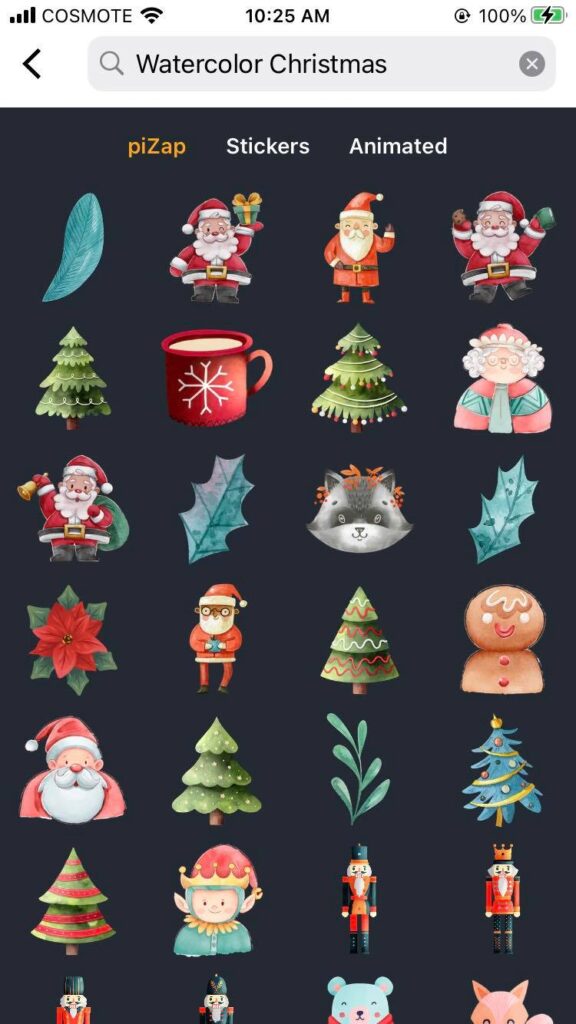
Christmas watercolor stickers display in piZap iOS device

With piZap’s new collection of Christmas-themed watercolor stickers, you can add an extra special touch to your holiday photos.

Let’s take a closer look at these awesome stickers!

Putting Together the Perfect Photo Collage

Christmas collage greeting card made in piZap web

One of the most popular features on piZap is its collage maker. This tool allows you to easily combine multiple photos into one eye-catching design. With the addition of Christmas-themed watercolor stickers, you can make your collage even more festive!
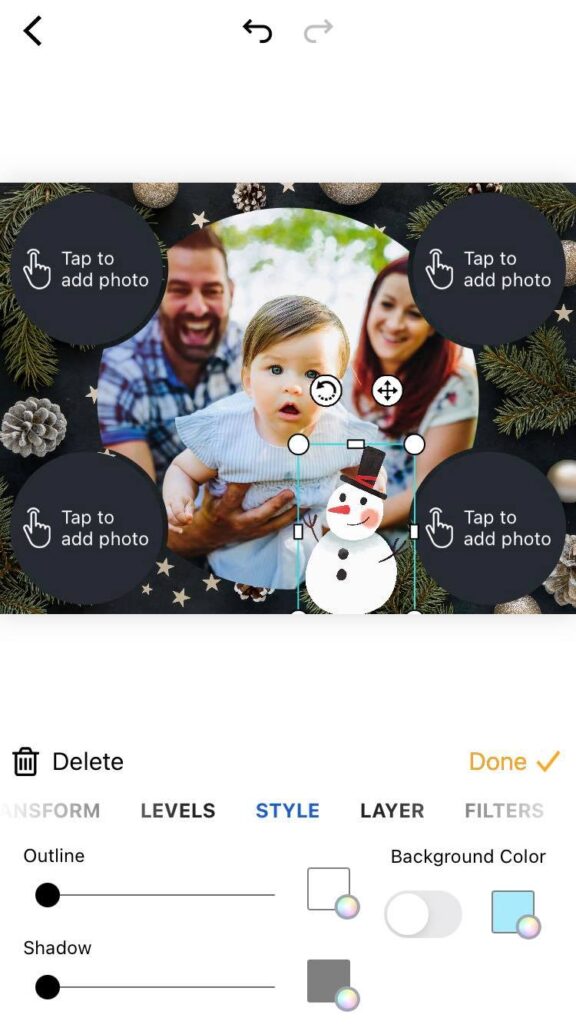
piZap collage maker in iOS device

From cute snowmen and candy canes to Santa Claus and reindeer, there is something for everyone. Plus, thanks to piZap’s intuitive interface, it’s easy to mix and match different shapes and sizes of stickers until you find the perfect layout for your collage. Check out and download the piZap app in iOS and android devices.

Creating Custom Cards
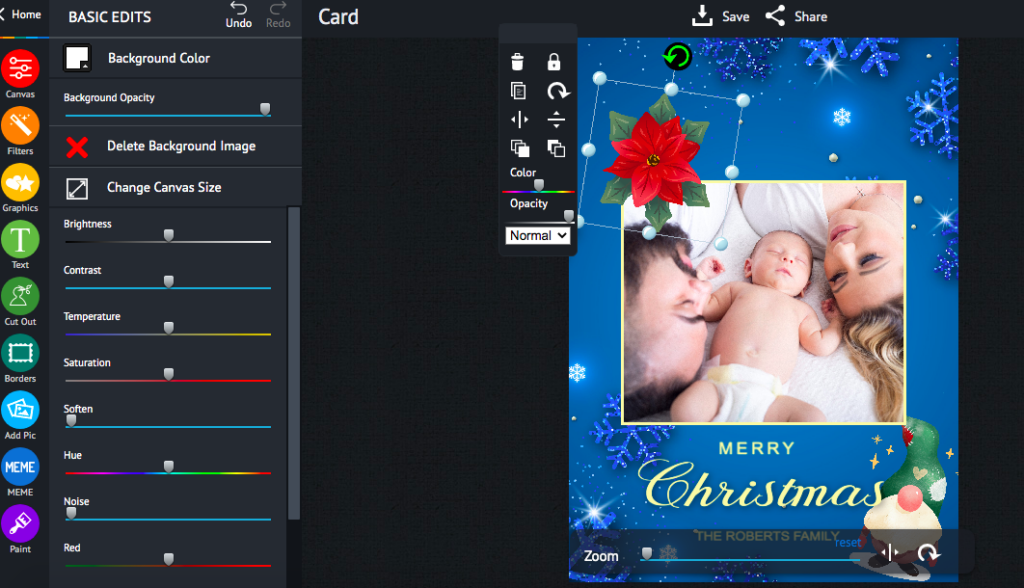
Christmas card created in piZap web

Another great way to use piZap’s collection of watercolor stickers is to create custom cards for friends and family. Whether you want to send out holiday greetings or thank-you notes, these creative cards are sure to be a hit! Add a few festive stickers along with some personalized text, and your card will be ready in no time. It’s also worth noting that all of piZap’s stickers are high resolution so they won’t lose any quality when printed out.

Making Your Own Wall Art
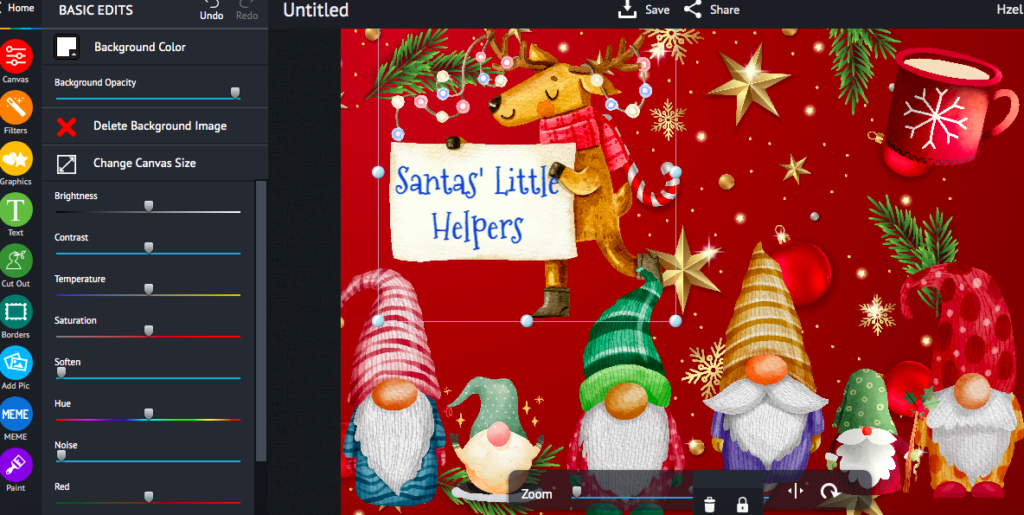
Created in piZap web

Are you looking for some unique wall art? Look no further than piZap! Just select one of piZap’s stunning Christmas-themed background images and then add a few watercolor stickers for a truly memorable piece of art.

Christmas watercolor stickers in iOS device

You could even print out your design on canvas for an extra special touch! No matter how you choose to display it, this personalized wall art will definitely bring some holiday cheer into your home.

Samples of Christmas watercolor stickers in piZap

No matter what type of project you have in mind, piZap’s collection of Christmas-themed watercolor stickers has something for everyone – from custom cards to festive collages! So get creative this holiday season with these vibrant designs – they’re sure to put a smile on everyone’s face! Start exploring today; who knows what amazing projects await?


created in the piZap iOS app

Have fun with piZap’s 2022 World Cup Poster Templates and Stickers!

World Cup 2022 has reached the quarter-final stage in Qatar; the final is on December 18th! It was a pretty long wait when the 2022 World Cup will finally come to an end, but that doesn’t mean you can’t show your support now to the battling teams! With Pizap, you can create amazing photo edits to share on social media and show your favorite team or country.

piZap creation by Idris Muchilis

And whether you’re a soccer fan or just an admirer of the pageantry, Pizap is a great way to get involved in the excitement of the world cup.

piZap collage by Claudia Saurenmann

Let’s take a look at what kind of amazing things you can do with this awesome photo editing tool.


Create Your Own Team Story Collage
Pizap makes it easy to make your own team collage with its wide range of templates. You can upload any image that you want, such as a favorite team photo, national flag or team crest, or unforgettable game moments, and add text and shapes to create something totally unique.

piZap collage by Claudia Saurenmann

You can also choose from over 300 fonts and pick from different colors and styles to customize your posters even further. What’s more, you can use Pizap’s layers feature to create complex designs without having to start over each time you make changes.

Make Your Own Fan Art

piZap art by Claudia Saurenmann

With Pizap, you don’t have to be an artist to make some amazing fan art for the 2022 World Cup. PiZap offers unique world cup templates you can use for your images.

World Cup 2022 templates at piZap.com

The tools available are simple enough for anyone to use and create some truly stunning visuals. Just upload any images related to soccer or your favorite team, then add stickers and texts so that everyone knows who you support! You can also use Pizap’s special effects feature if you want something more abstract or creative.

Share Your Creations on Social Media

piZap creation by Claudia Saurenmann

Once you’ve created something awesome with Pizap, it’s time to share it with the world!

piZap creation by Claudia Saurenmann

With just one click, you can share your creations on all major social media platforms like Facebook, Instagram, Twitter and more. This is an excellent way to show off your creativity while also spreading awareness about the World Cup tournament in Qatar 2022. Plus, who knows? Maybe one day we will see some of these fan-made creations actually being used by teams around the globe!

piZap creation by Tau Subaru

Whether it’s making logos for teams or creating fan art for supporters around the world, Pizap has all the tools necessary for showing off your support for the 2022 World Cup in Qatar. With its easy-to-use interface and wide range of features, anyone can quickly create beautiful pieces of art that will stand out on social media platforms everywhere! So why not give it a try today? Go ahead—show off your creativity and let everyone know how excited you are about this international event!

Life Through a Lens: The Mental Health Benefits of Photography

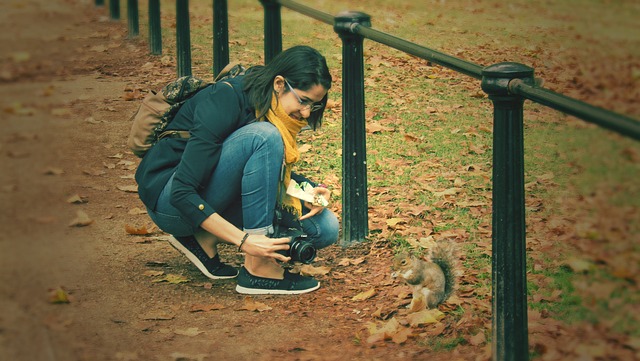
There are many hobbies that people enjoy in order to take their minds off the stresses of everyday life. Some people go for a run, some do yoga, and some just sit back and watch a movie. But what if you could get all those benefits—and more—from a single hobby? That’s where photography comes in. From being able to capture moments, to being able to express yourself creatively, photography can be an incredibly rewarding and beneficial hobby.

Creativity & Self-Expression


Photography allows us to explore our creativity and express it in unique ways. For example, you can use different angles and perspectives when taking photos; you can experiment with lighting; or you might even choose to edit your photos using special effects or filters like the one in piZap. PiZap provides easy to use tools for photographers to enhance their photos.

piZap app – iOS device (special thanks to Sam Crisco Photography)

No matter how you decide to approach it, the possibilities are endless! And that is one of the best things about photography – it gives us the freedom to be creative and express ourselves without any limits.

Focus & Attention

When we’re taking pictures, we have to stay focused on what we’re doing. We need to pay attention to things like composition, lighting, perspective, etc., which helps us stay present in the moment. This kind of mindfulness is great for improving our concentration and focus – both of which are essential skills for getting through everyday life!

Plus, focusing on something else (like photography) is a great way to take our minds off other stressors that we may be dealing with at the time.

Therapeutic Value

Photography has been found to have therapeutic value for those who suffer from anxiety or depression. It can provide an outlet for self-expression that can help reduce stress levels as well as give people something positive to focus on instead of their worries and anxieties.

Taking pictures also requires patience and practice – two things that can help build resilience over time if done consistently enough!

Finally, looking at photos can also remind us of happy memories or experiences from the past – which can be incredibly helpful when dealing with difficult times in the present day.

Overall, there are many mental health benefits associated with photography as a hobby – from creative expression and improved focus/attention span, to therapeutic value for those who suffer from mental health issues such as anxiety or depression.

So why not grab your camera (or phone!) today and start exploring the world through your lens? Who knows – maybe this new hobby will be just what you need! You might be surprised at how therapeutic it really is!

How to make Instagram Story Covers that will make your friends say “wow!”

Let’s face it, we’ve all been there. You’re scrolling through Instagram, minding your own business, when you come across an IG Story cover that just makes you stop and stare. The colors are perfectly coordinated, the font is on point, and the overall aesthetic is just so damn pleasing. But then you remember that you don’t have a professional graphic designer on speed dial (or even in your contact list, for that matter).

So how the heck are you supposed to make your IG Story Cover look just as good?

Never fear, with piZap’s free online design maker, you can create beautiful Instagram Story covers that will make your followers do a double-take. And the best part? It’s super easy to use and you don’t need any prior design experience. So without further ado, let’s dive in!


Creating Your First Instagram Story Cover with piZap

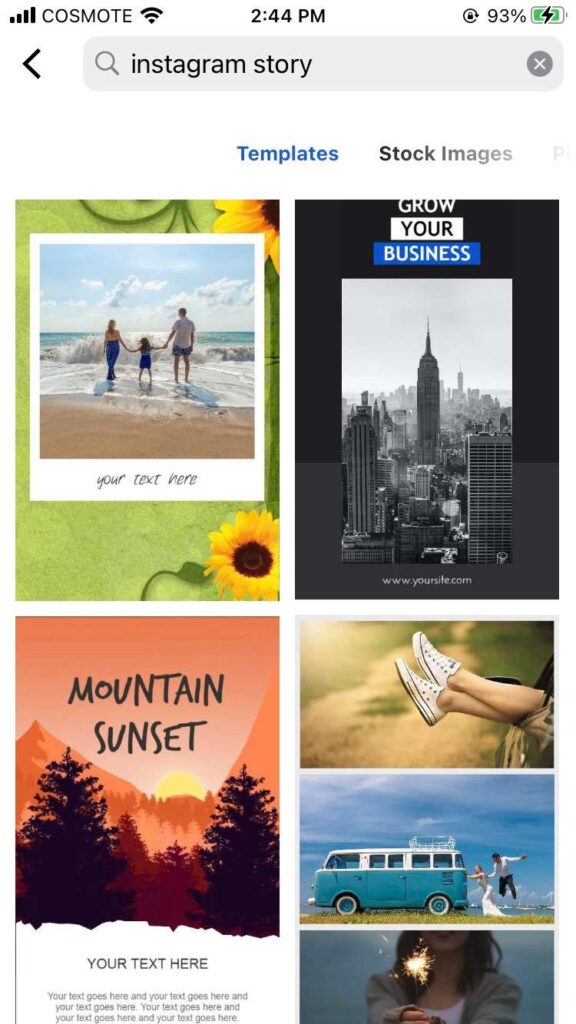
1. Go to www.pizap.com or to you piZap app in your iPhone device and go over on the main menu. Under CREATE A NEW DESIGN, you can scroll down to search for INSTAGRAM/ FACEBOOK STORY cover templates that you may want to use.

piZap app on iOS device

2. Select the best template that you like from the list of templates.

piZap app on iOS device

3. To start designing your cover, click on the image that you want to replace.

piZap app on iOS device

You can find tons of royalty free images in piZap (via Pixabay and Unsplash). You can also upload your own image by clicking on the “Replace” tab (on the left) and selecting an image from your mobile device/computer.

4. Once you’ve selected your background, it’s time to start adding text!

The piZap template has ready made texts that you can replace. Or you may click on the “Text” tab at the bottom if you want to add your own text or font styles. A text box will appear where you can type out your desired text. To change the font, color, or alignment of your text, simply use the options that appear in the pop-up menu after clicking on the text box.

5. To add additional design elements like shapes or stickers, click on the “Graphics” tab in the lower portion of the canvas in piZap.

piZap app

Select a graphic or sticker from the options that appear on the screen. Then click anywhere on the canvas to add it to your design.

6. Once you’re happy with your design, click on the “Download” button in the upper right-hand corner of the canvas to save it as an image file to your device (JPG or PNG).

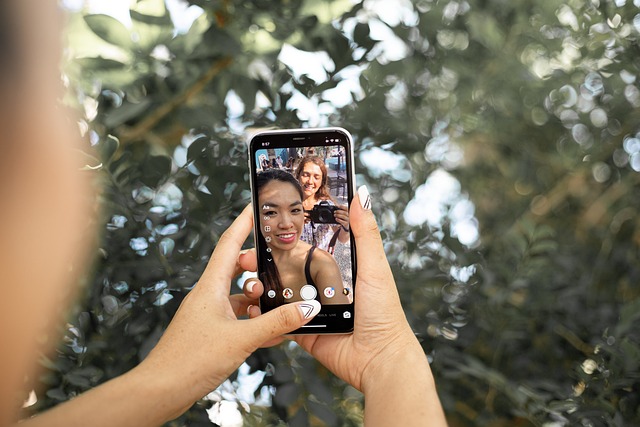
7. That’s it! You’re now ready to upload your brand new Instagram Story Cover to your stories!

8.If you want to create additional covers using piZap, simply repeat steps 1-7 for each one.


There you have it—a step-by-step guide to creating stunning Instagram Story Covers using piZap’s free online design maker! With just a few clicks of a mouse, you can have beautiful IG Story Covers that are sure to impress all of your followers. So what are you waiting for? Give it a try today! Download the piZap app!

A Gratitude Photo a Day Keeps the Scowls Away

As the days get shorter and the weather gets colder, it’s easy to let the winter blues set in. But there’s one simple way to combat all that negative energy: gratitude photos! Every day, take a photo of something or someone you’re grateful for.

It could be your family, dear friends, happy dog, your cozy bed, your yummy breakfast… anything that brings a smile to your face. Then, post it online with the hashtag #grateful. Not only will you make yourself feel good, but you’ll also spread some positivity to your friends and followers.

Ready to get started? Here are a few tips:

1.Be creative!

Think outside the box when it comes to gratitude photos. In addition to traditional pictures, you could also try editing your photos with piZap photo editor. You can think of lots of ideas with your photos when using piZap’s background eraser, or even just a simple list of things you’re grateful for. Get creative and have fun with it! Check out how easy you can create gratitude photos with piZap!

2. Be specific.

When you’re posting about what you’re grateful for, make sure to be specific. For example, don’t just say “I’m grateful for my family.” Say, “I’m grateful for my mom’s homemade lasagna” or “I’m grateful for my sister’s sense of humor.” The more specific you are, the more powerful your message will be. Choose from piZap’s tons of fonts and images to bring life in your images!

3. Be consistent.

The whole point of gratitude photos is to help you focus on the positive things in your life, so make sure you’re posting them every day! Set a reminder on your phone or put a sticky note on your mirror to help you remember. And if you miss a day here or there, don’t worry—just pick back up where you left off.


The next time something good happens in your life—big or small—don’t forget to take a Gratitude Photo! Not only will it help you express yourself and reflect on all of the good in your life, but it might just motivate you to be more grateful overall. And we could all use a little more positivity and good vibes in our lives these days. 🙂

10 Tips for Taking Better Thanksgiving Photos of Your Kids

As the holidays approach, now is the perfect time to start thinking about how to capture all those special moments with your kids. Thanksgiving is a great opportunity to get some cute and funny photos of your little ones. Here are five tips to help you take better Thanksgiving photos of your kids this year.

1. Get them in the holiday spirit.


Dress your kids up in their cutest Thanksgiving outfits or have them make some fun crafts to get them into the holiday spirit. The more festive they are, the better the photos will be.

2. Take advantage of natural light.


If possible, try to take the photos near a window where there is plenty of natural light. This will help avoid any harsh shadows on your subjects.

3. Get down on their level.


For the best photos, get down on your child’s level so you’re at eye-level with them. This will help you capture their expressions more easily.

4. Use props.


Props can be a great way to add interest to your photos and help tell a story. Give your kids some leaves or pumpkins to play with or have them hold up signs with what they’re thankful for this year. Be creative!

5. Focus on candid shots.

Candid shots tend to be more dynamic and interesting than posed shots, so try to capture your kids in the midst of playing or laughing rather than asking them to sit still and smile for the camera.

6. Edit strategically.

www.pizap.com

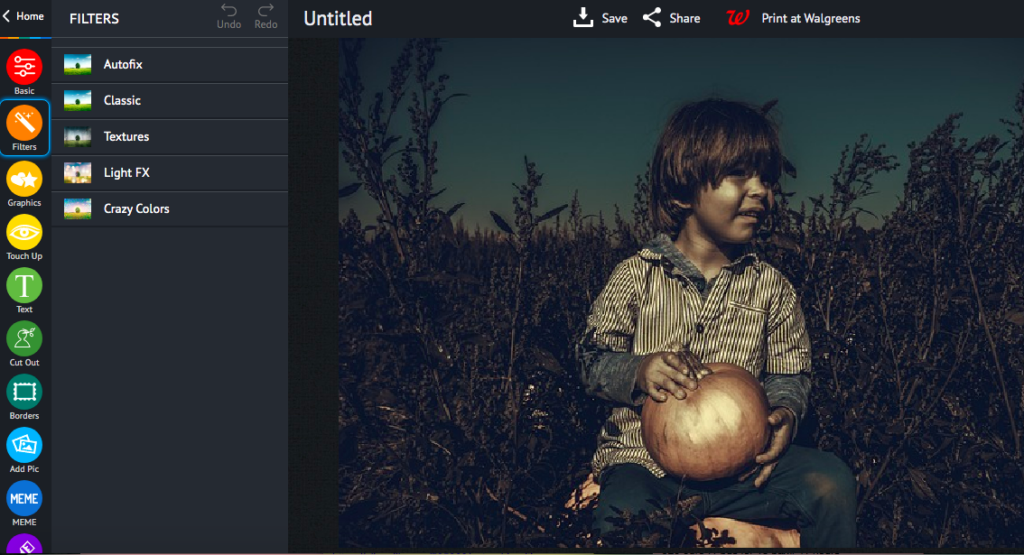
With today’s digital cameras and editing software, it’s easy to go overboard with filters and effects. But sometimes less is more—a few strategic edits can go a long way in making your photos look better without making them look fake. This is where piZap photo editor can provide simple editing solutions and basic filters that can help you come up with great image output. The piZap app is available in the web, iOS and android devices.

7. Print them out!

www.pizap.com

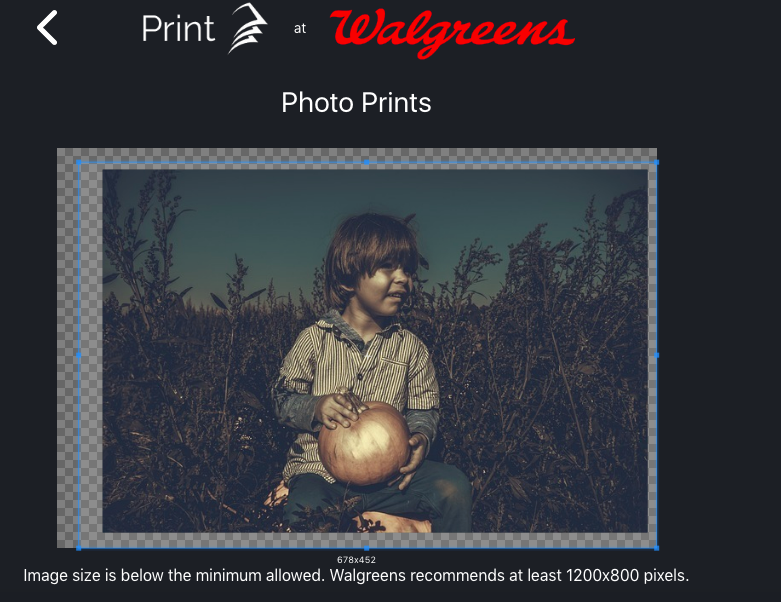
In this age of digital media, it’s easy to forget that photos are meant to be enjoyed offline as well as online—so make sure you print out your favorites and put them in an album or frame them for display in your home. piZap offers options to print them directy to your printer or via Walgreens. Check out this special feature in piZap!

8. Share them with loved ones!

edited in piZap

One of the best things about taking Thanksgiving photos is being able to share them with loved ones near and far—so make sure you send copies (or links) to grandparents, cousins, and other family members who would enjoy seeing them.

9. Be patient.


Kids can be unpredictable, so it’s important to be patient when taking photos of them. If you wait for the perfect moment, you’re sure to capture some truly special memories that you and your family will cherish for years to come.

10. Have fun!

Photography should be enjoyable—so make sure you take some time during Thanksgiving break to experiment with different techniques and styles until you find something that works for you and makes you happy!

We hope these tips have inspired you to get out there and take some great Thanksgiving photos of your kids! Remember, the most important thing is to have fun—after all, that’s what Thanksgiving is all about!

www.pizap.com